CREATIVE KIDS TOPWorkshop [Report] “STEAM Workshop: Build Your Own Factory and Become the Manager of the Kawasaki Plant! (Part 2)”
Workshop
2022.05.19
[Report] “STEAM Workshop: Build Your Own Factory and Become the Manager of the Kawasaki Plant! (Part 2)”
From
a CANVAS Facebook post*******************************************
#Kids Researcher's Log 5/8 Sun #Workshop
"STEAM Workshop: Build Your Own Factory and Try Your Hand at Being the Kawasaki Plant Manager! (Part 2)" (Elementary and Middle School Class) in Takeshiba
We held the second session of “Let’s Build a Factory System!” (This series is a program jointly developed by Kawasaki Heavy Industries, Ltd. and CANVAS, consisting of six sessions in total: the first half, “Let’s Design an Original Factory!” and the second half, “Let’s Create Movements for Robots Working in the Factory!”)
In a factory, it is very important to generate profits through efficiency improvements.
How should we position the robots so they can work more efficiently?
Let's do some calculations using 3D models and worksheets.
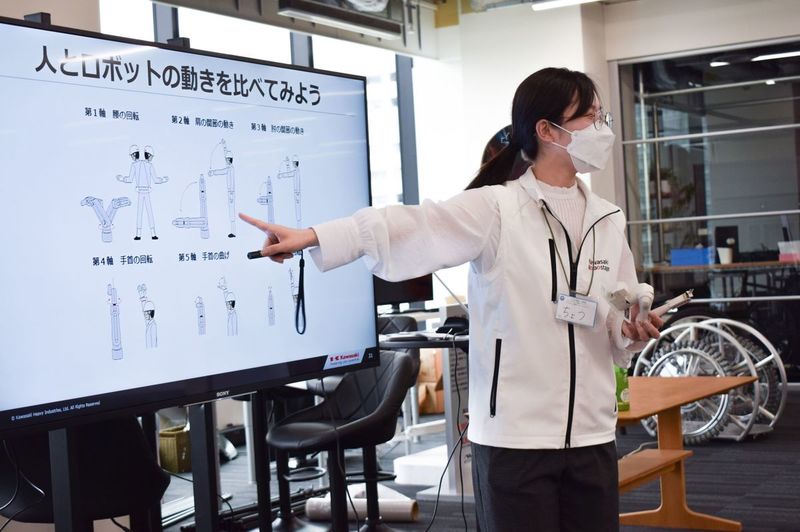
■ How many joints do humans have? And what about industrial robots?
It all starts with comparing the movements of humans and robots.
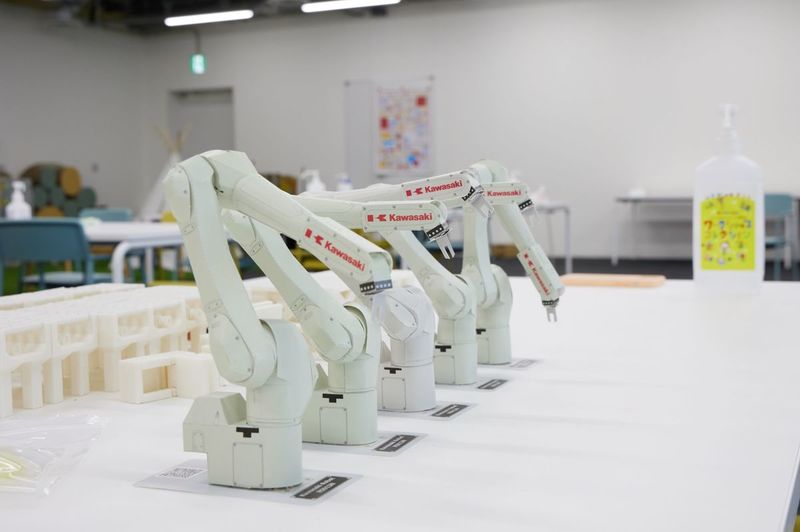
After examining the parts of your own body that bend—such as your hands and fingers—(it takes an adult two hours to assemble it!), you’ll use an intricately designed paper craft robot arm to explore the robot’s joints.
Are there any similarities between human arms and robot arms?
There's detailed information about it on the Kawasaki Heavy Industries website, so be sure to check it out (especially the videos!) ^^
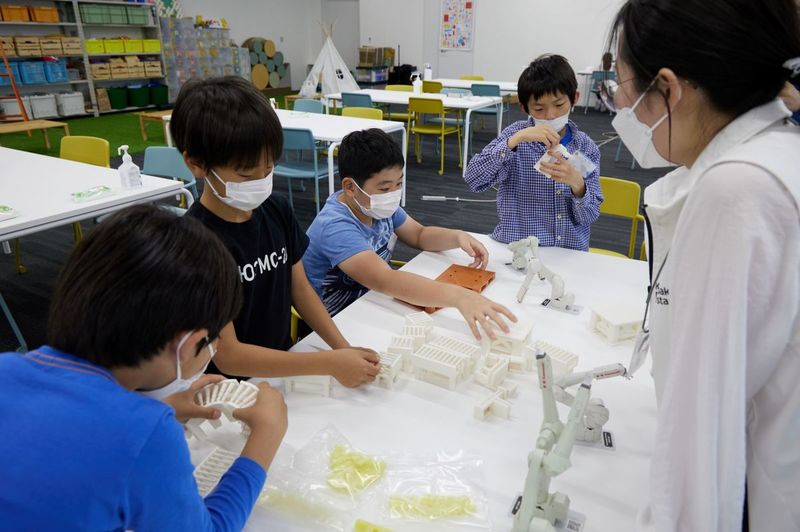
Recalling the last role-playing session, I keep placing things here and there, figuring out where to put each item.
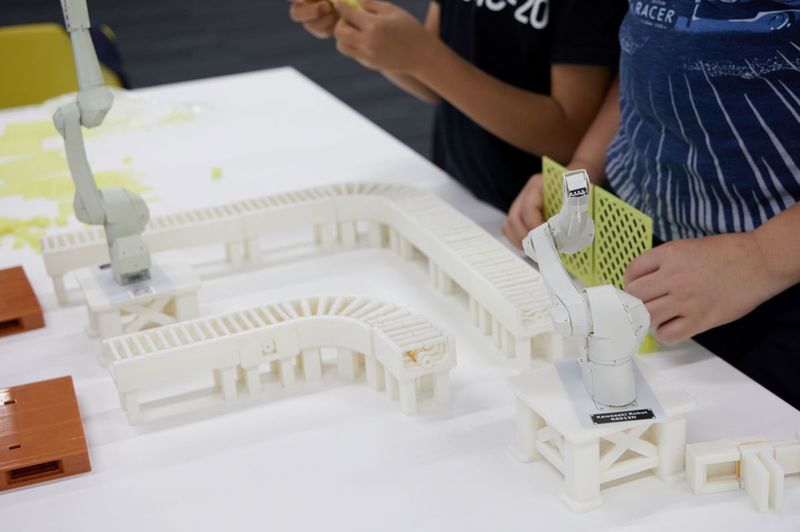
The factory items making their first appearance this time are safety barriers and control panels.
Don't underestimate it just because it's a fence.
Items that are absolutely necessary when installing an industrial robot.
The control panel is the robot's "brain." It must be installed outside the safety fence so that people can operate it.
■The budget is 15 million!! Cut costs! So, what should we do?
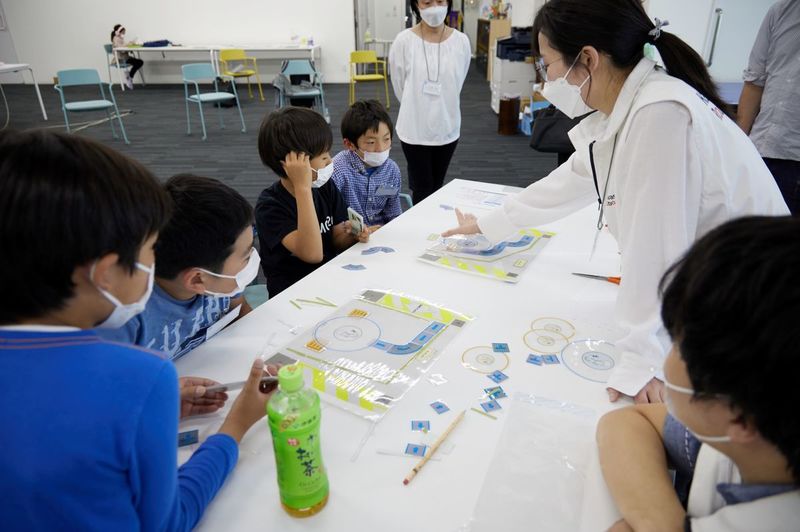
Earlier, we were just arranging the items, but this time, with the mission of designing a factory on a tighter budget, each team will use a worksheet to arrange the items.
"You can get a smaller robot arm for less! But it's not as powerful as the bigger one, so…"
"Why not set up the factory line in two tiers so that anything the arm can't pick up just falls down to the lower line?"
"Wait, but is it okay to throw away something that could be sold?"
"Hmm… Then let's make it go round and round like those conveyor belts at the airport where the luggage comes down!"
As we brainstormed ideas together, we worked hands-on to figure out how to design the factory as inexpensively and efficiently as possible.
Once you've created a design, you might have to redesign it, and the process of trial and error continues.
Next month's theme is "Let's Program the Box-Packing Process!"
We will program and operate an actual robotic arm that is currently in use at a factory.
See you next month!
○ Workshops Currently Accepting Registrations
For registration and details, click here or visit the website link in my profile.
Professor, Keio University; Ph.D. (Policy and Media)
Director, B Lab
Chairperson, Learning of Tomorrow (General Incorporated Association)
Chairperson, CANVAS
After graduating from the Faculty of Engineering at the University of Tokyo, he served as a visiting researcher at the MIT Media Lab before founding the NPO CANVAS and the Learning of Tomorrow Association, a General Incorporated Association, and assuming the role of representative. He serves as an outside director for Matsuya Co., Ltd., Fuji Media Holdings, Inc., and Digital Garage, Inc.
He has served on various government committees, including the Information and Communications Council of the Ministry of Internal Affairs and Communications, as well as the NHK Central Broadcasting Program Council. He also serves as a director of the Digital Signage Consortium, among other roles. He holds a Ph.D. in Policy and Media.
His publications include *Turning On Children’s Creativity!*, *What Are Smart Kids Doing on Their Smartphones?*, *The Forefront of Online Education in Japan: Considering Learning in the Post-COVID Era*,“What Is Programming Education? 45 Questions Parents Want to Know,” and “Declaration on Digital Education.” He has also provided supervision for numerous works, including “Ah, I See! Programming Education for Parents and Children Through Manga.”





 Workshop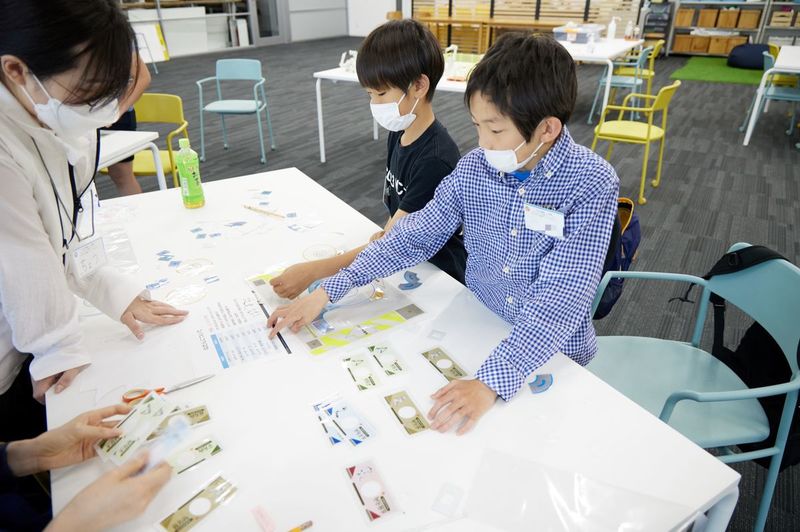




























4052047885.jpg )











1.jpg)